Assets
SentriaOne xSIEM discovers devices from observed traffic and builds an inventory of assets. The asset profile is the main drill-down target for any IP address in the dashboard.
Menu: Inventory › Assets
Asset inventory
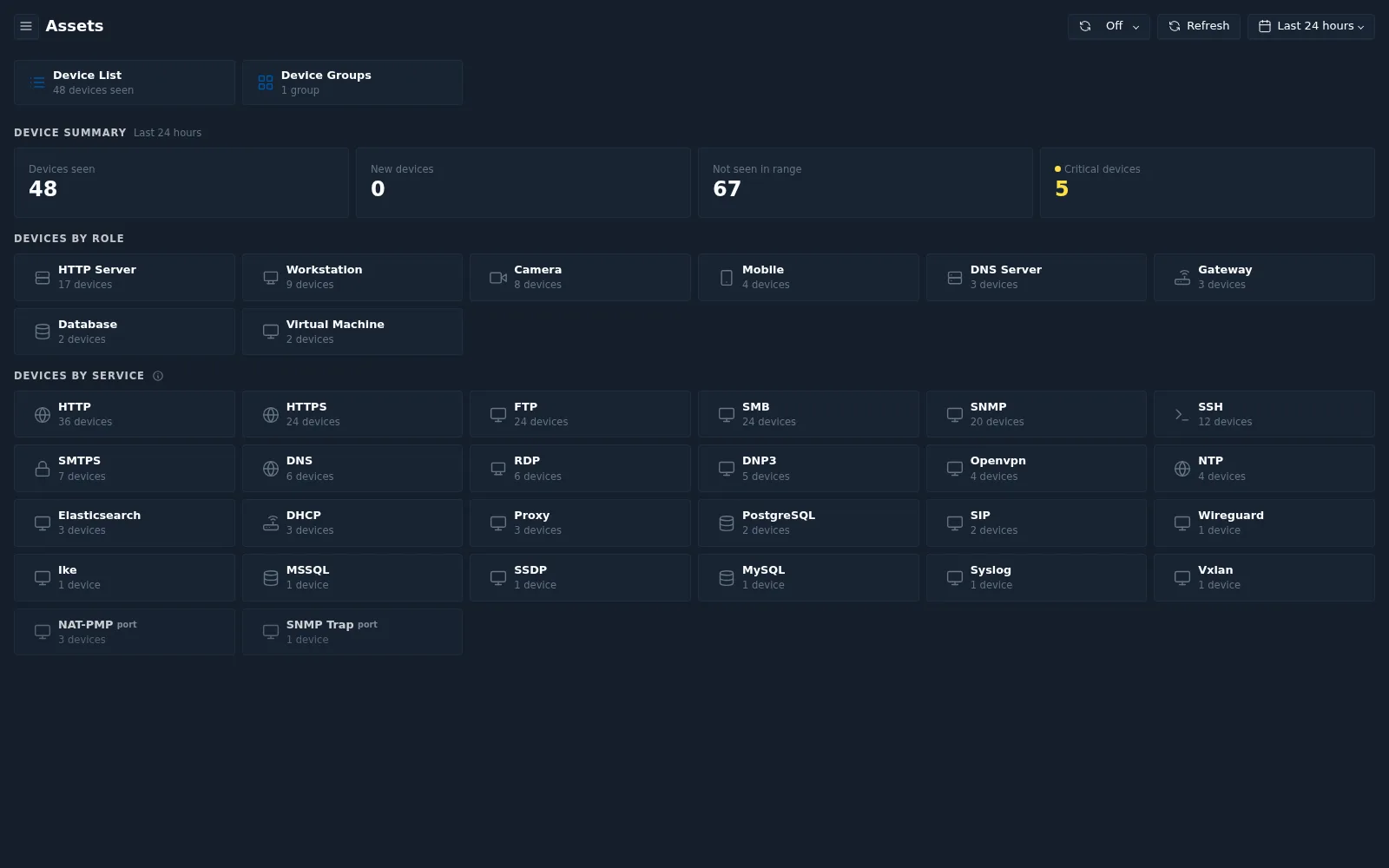
| Panel | Contents |
|---|---|
| Device List | Number of devices seen in the time range. Select to open the device list |
| Device Groups | Number of device groups. Select to open the group list |
| Device Summary | Devices seen, new devices, devices not seen in range, and critical devices |
| Devices by Role | Devices per role, for example HTTP Server, Workstation, Camera, Mobile, DNS Server, Gateway, Database, Virtual Machine |
| Devices by Service | Devices per detected service, for example HTTP, HTTPS, SMB, SNMP, SSH, RDP |
Device list
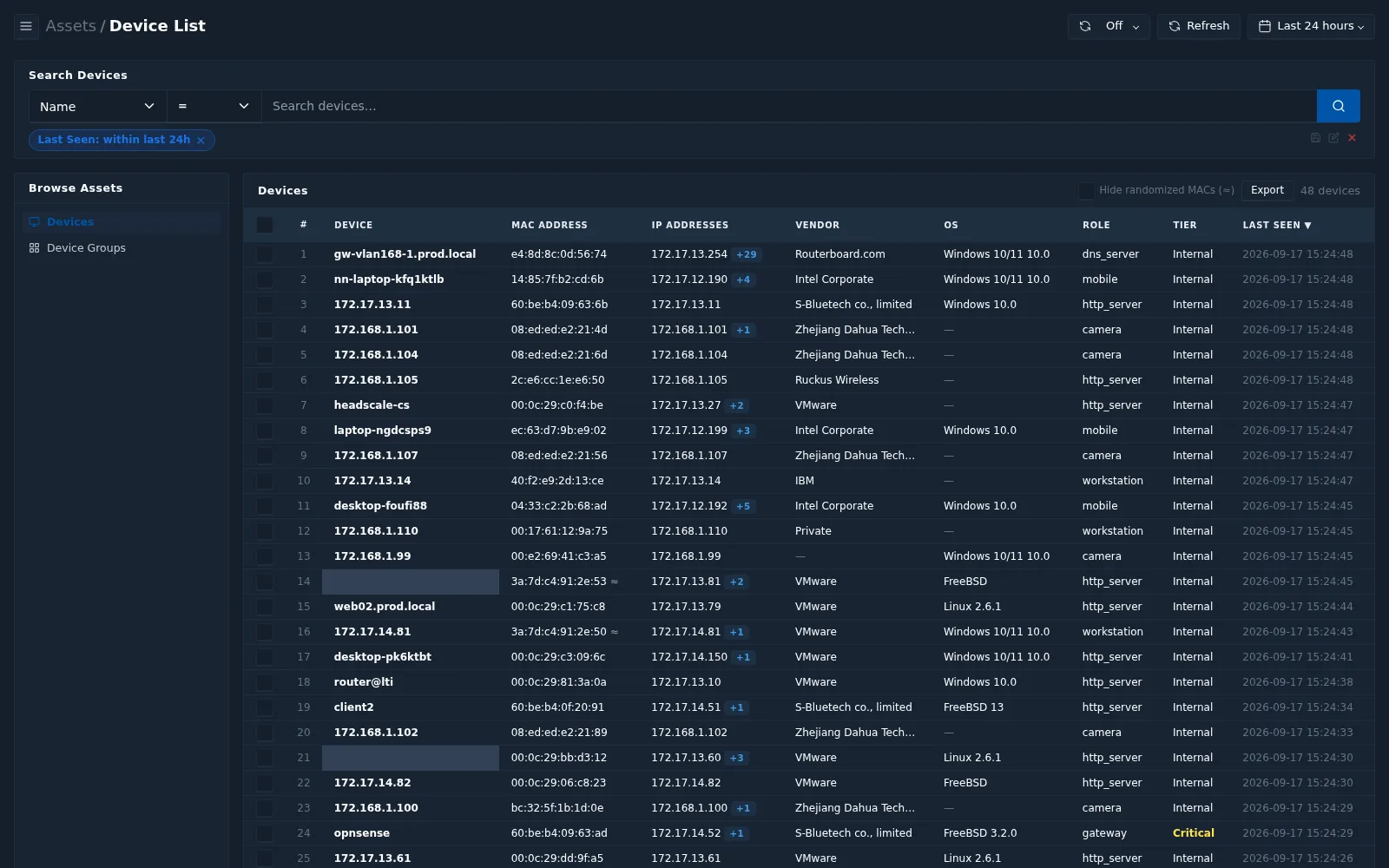
The device list shows each device with its name, MAC address, IP addresses, vendor, operating system, role, tier, and last-seen time.
Searching devices
Build a filter by choosing a field, an operator, and a value.
| Fields | Name, IP Address, MAC Address, Role, OS, Vendor, Tier, Services, VLAN ID, Alias, Hostname, Locality, SNI, Any Field |
|---|---|
| Operators | =, ≠, contains, starts with, exists, does not exist |
Additional options:
- Hide randomized MACs — hide devices using randomized MAC addresses
(common on mobile devices), marked with
≈. - Export — export the device list.
Device groups
Select Device Groups to view groups of devices. Each group shows its name, description, type, definition (for example static membership — manually selected devices), number of devices, and creation date. Select a group to open its profile.
Asset profile
The asset profile (Asset Centric view) shows everything known about one device, IP address, or device group.
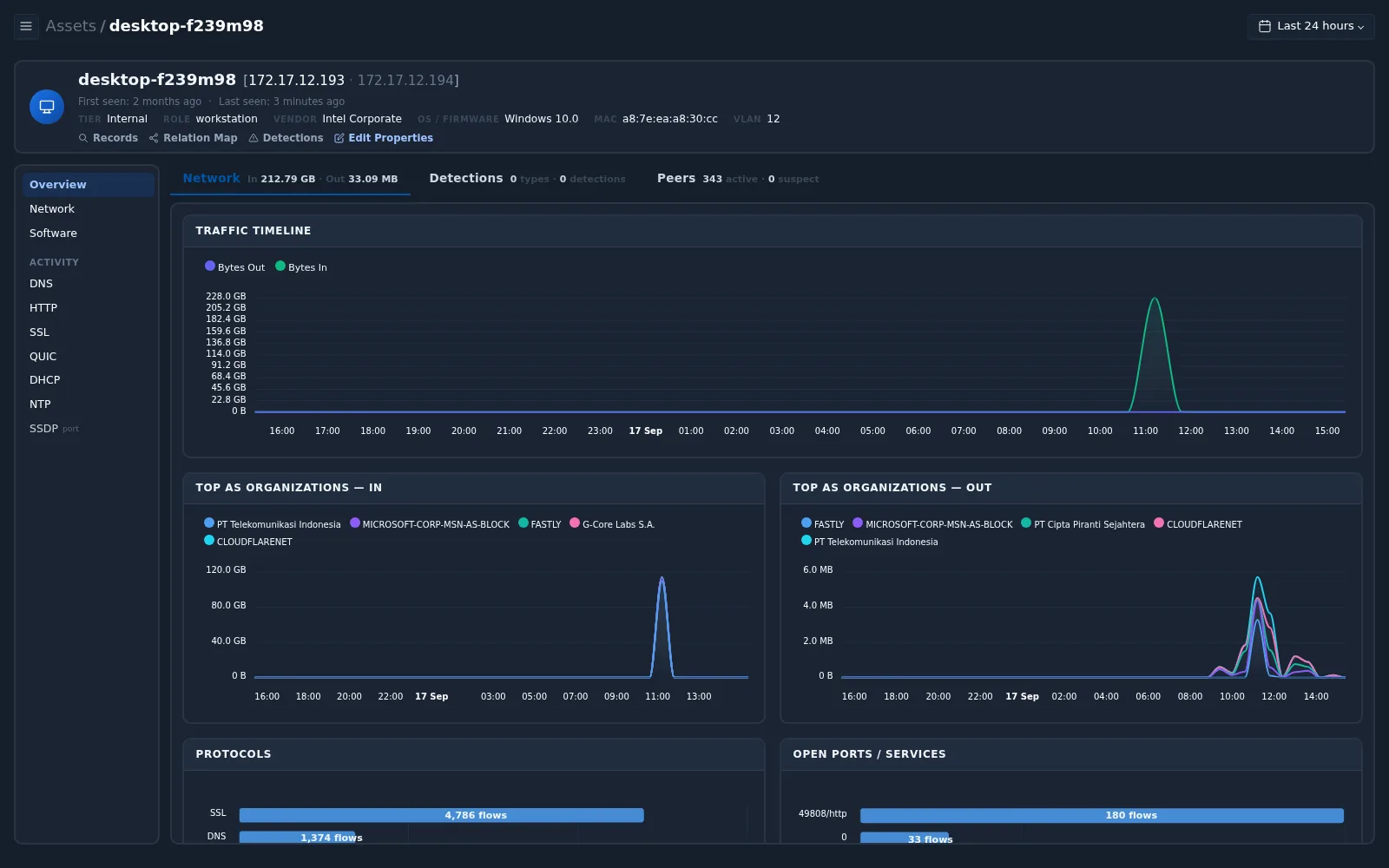
Header
| Field | Description |
|---|---|
| Name and IPs | Device name and its IP addresses |
| First / last seen | When the device was first and last observed |
| Tier | Criticality tier, for example Internal or Critical |
| Role | Detected role, for example workstation |
| Vendor | Hardware vendor derived from the MAC address |
| OS / Firmware | Detected operating system |
| MAC / VLAN | MAC address and VLAN |
Actions
| Action | Opens |
|---|---|
| Records | Records for this asset |
| Relation Map | Relation graph focused on this asset |
| Detections | Detections filtered to this asset |
| Edit Properties | Edit asset properties |
Tabs
| Tab | Contents |
|---|---|
| Overview | Network in/out, number of detections, active and suspect peers, traffic timeline, top AS organizations in and out, protocols, and open ports/services |
| Network | Throughput, latency, packets and retransmissions, IP protocols, and connection states for this asset |
| Software | Software observed for this asset |
| Activity | Per-protocol activity for this asset (DNS, HTTP, SSL, and others), as on the Activity page |
A device group profile has the same layout, with an additional Devices tab listing the member devices.