License
The License page shows the license status and usage against licensed limits.
Menu: System › License
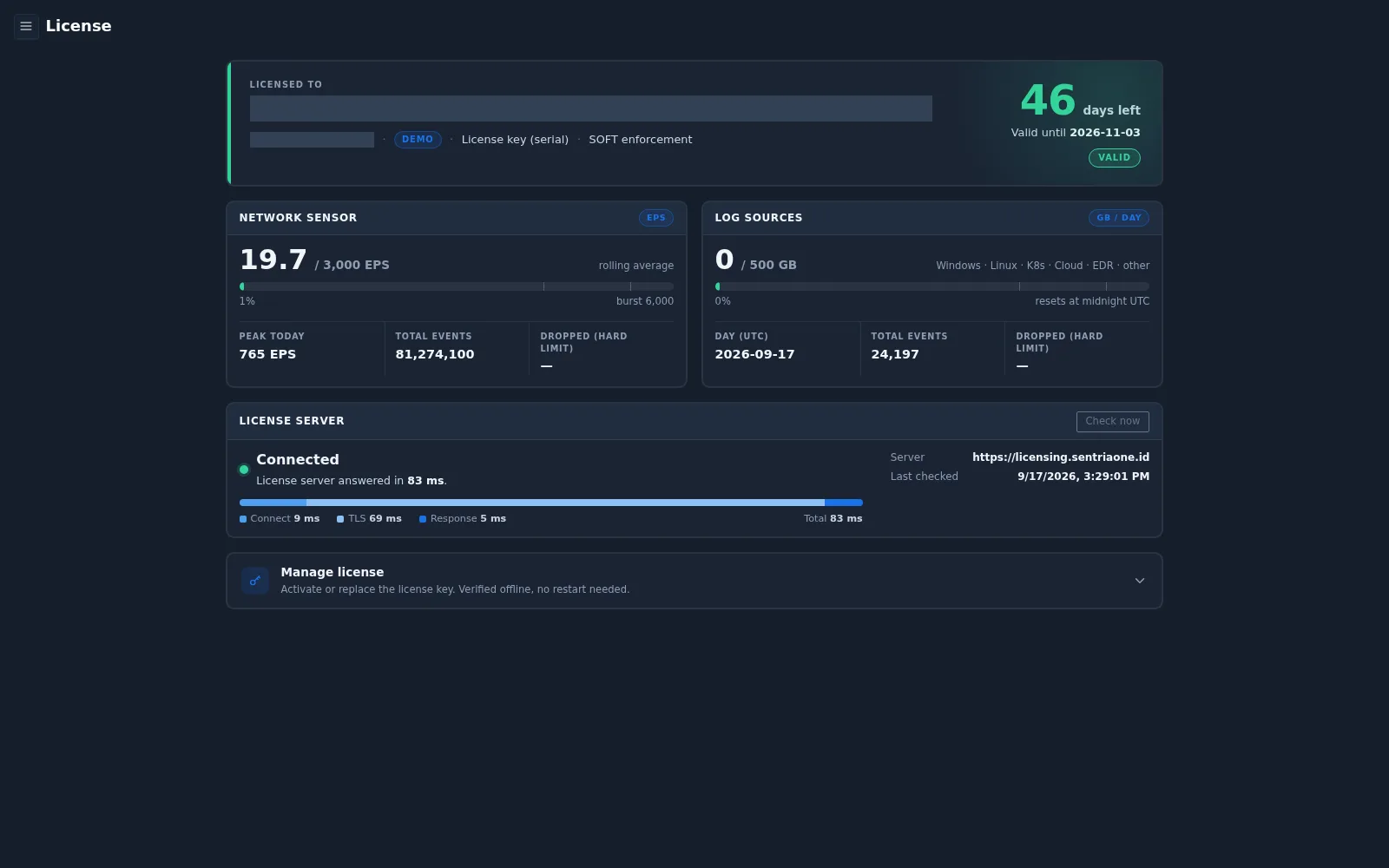
License summary
| Field | Description |
|---|---|
| Licensed to | Organization the license is issued to, and the license key (serial) |
| License type | For example DEMO |
| Enforcement | How limits are enforced, for example SOFT enforcement |
| Days left | Days remaining, the expiry date, and the validity status (for example VALID) |
Usage
| Panel | Unit | Contents |
|---|---|---|
| Network Sensor | Events per second (EPS) | Rolling average against licensed EPS, burst limit, peak today, total events, and events dropped by the hard limit |
| Log Sources | GB per day | Daily log volume against the licensed volume (for sources such as Windows, Linux, Kubernetes, cloud, and EDR), total events, and events dropped. The daily counter resets at midnight UTC |
License server
Shows whether the license server is Connected, its response time, the server address, and when it was last checked. Select Check now to test the connection again.
Managing the license
Expand Manage license to activate or replace the license key. The key is verified offline and no restart is needed.