Perimeter
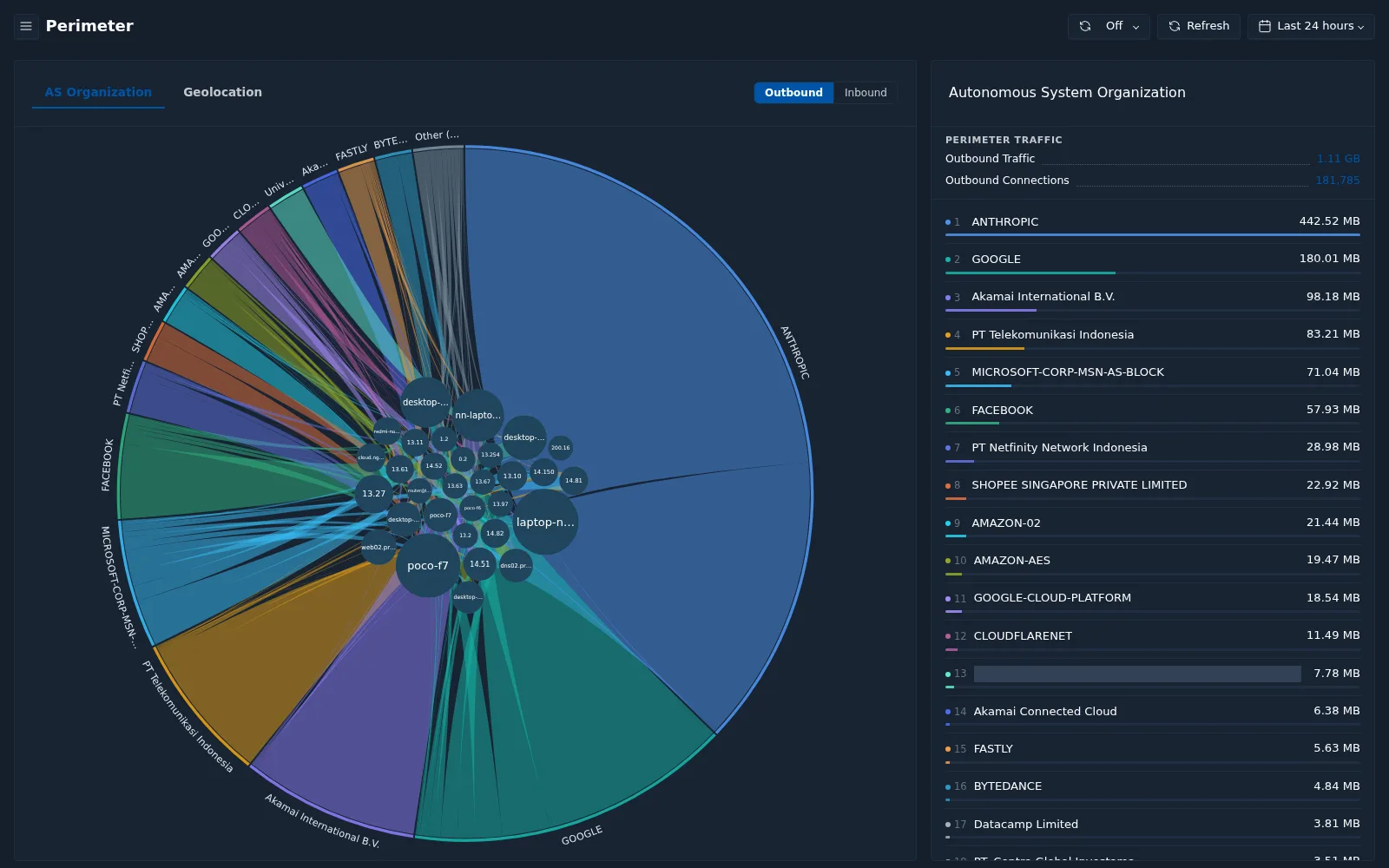
The Perimeter page shows traffic crossing the boundary between your internal network and the internet, grouped by external organization or location.
Menu: Network › Perimeter
Views
| Control | Options |
|---|---|
| View | AS Organization — group external traffic by autonomous system (network owner) Geolocation — group external traffic by country |
| Direction | Outbound (internal → external) or Inbound (external → internal) |
Reading the chart
In the AS Organization view, the circular chart connects internal hosts (the bubbles in the center, labeled by hostname or the last part of the IP address) to external organizations (the segments on the outer ring).
- A larger outer segment means more traffic to or from that organization.
- The ribbons show which internal hosts communicate with each organization.
In the Geolocation view, select a country that has data to open its detail panel.
Organization list
The panel on the right lists:
- Perimeter Traffic — total traffic and connections in the selected direction.
- A ranked list of organizations (or countries) by traffic volume.
Use this page to spot unexpected destinations — for example an internal server sending data to an organization it does not normally communicate with.