Relation
The Relation page draws an interactive graph of hosts (nodes) and the communication between them (links). It helps you see who talks to whom and how a suspicious host is connected to the rest of the network.
Menu: Network › Relation
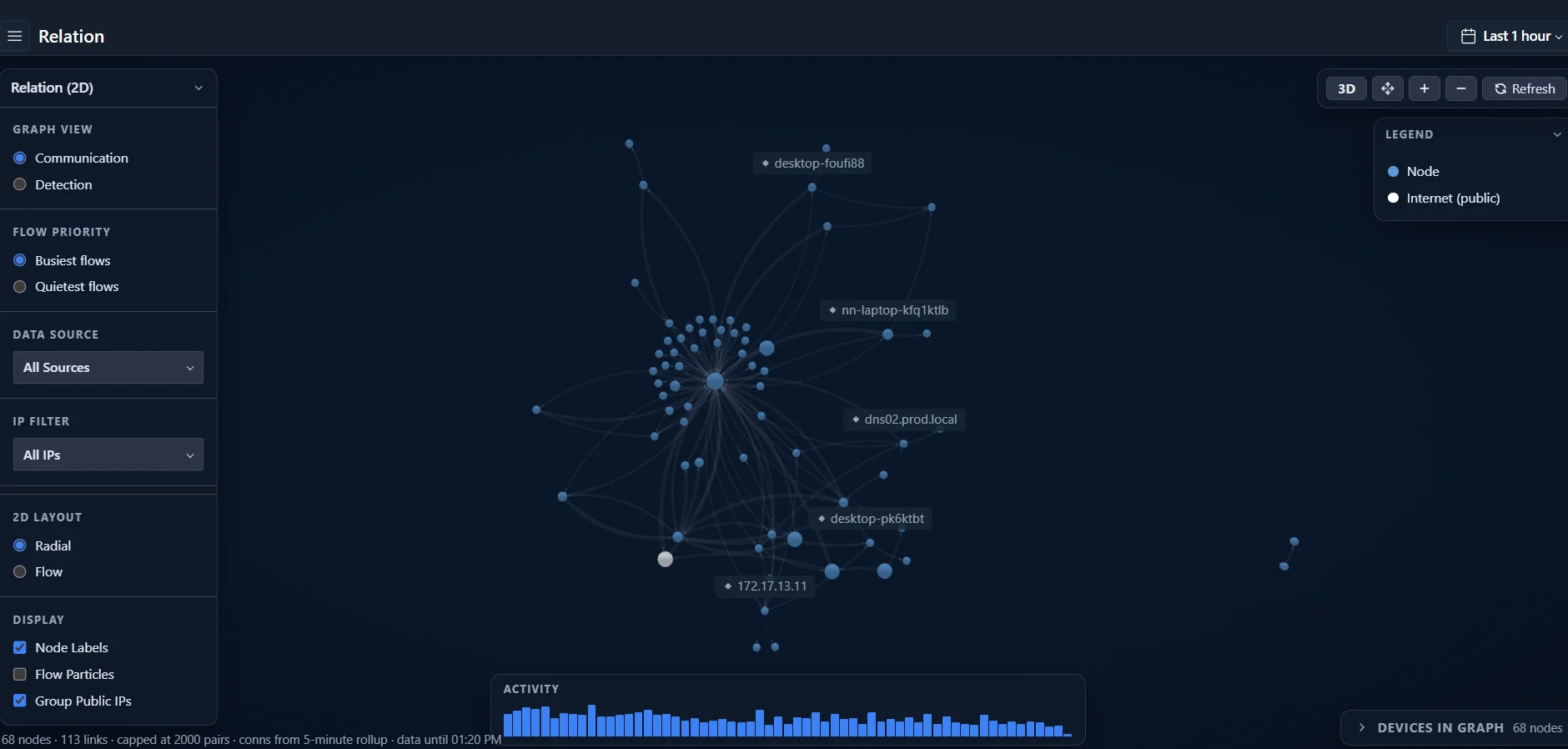
Graph controls
| Control | Options |
|---|---|
| Graph view | Communication — all communication between hosts Detection — relationships from detections |
| Flow priority | Busiest flows or Quietest flows |
| Data source | All sources, or a specific data source |
| IP filter | All IPs, or focus on a selected host |
| 2D layout | Radial or Flow (available in 2D mode) |
| Display | Node Labels, Flow Particles (animated traffic direction), Group Public IPs (combine internet hosts) |
Use the buttons in the top-right corner to switch between 3D and 2D, fit the graph to the screen, zoom in and out, and refresh.
Other elements
| Element | Description |
|---|---|
| Legend | Node types, for example internal Node and Internet (public) |
| Activity | Activity histogram for the selected time range |
| Devices in Graph | List of the devices currently shown in the graph |
| Graph size | Number of nodes and links shown, and the limits in use — the graph is capped at 2,000 host pairs, and connections come from a 5-minute rollup |
tip
You can open the Relation graph focused on a single host from its asset profile using Relation Map.
note
The 3D graph requires a browser with WebGL enabled.