Menu: System › Settings › Email
The Email page configures the SMTP server used to deliver reports and notifications.
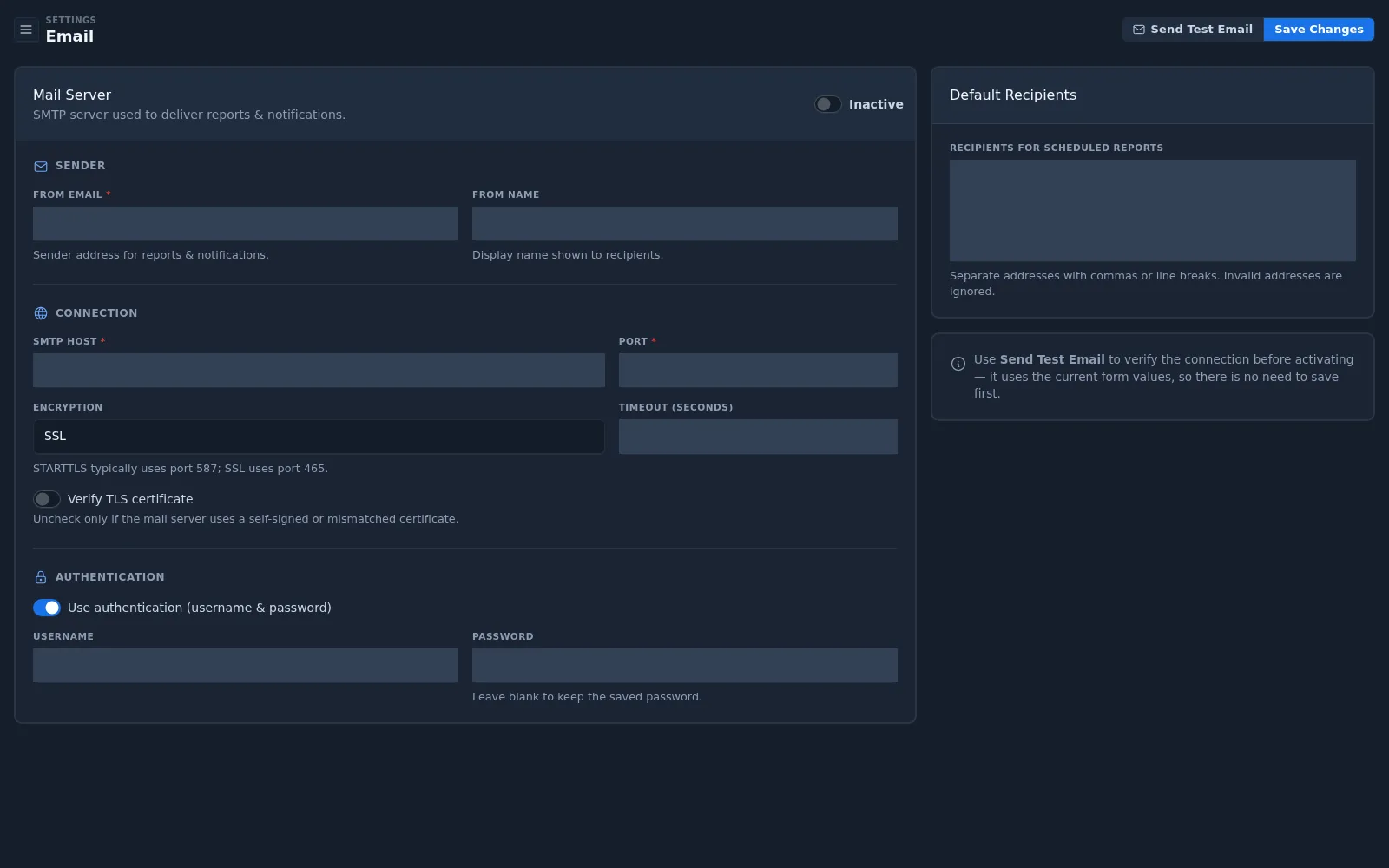
| Section | Fields |
|---|---|
| Mail Server | Active / Inactive switch |
| Sender | From email, from name |
| Connection | SMTP host, port, encryption (STARTTLS, SSL, or None), timeout, verify TLS certificate |
| Authentication | Use authentication, username, password (leave blank to keep the saved password) |
| Default Recipients | Recipients for scheduled reports, separated by commas or line breaks |
To configure email:
- Enter the sender, connection, and authentication details. STARTTLS typically uses port 587; SSL uses port 465.
- Select Send Test Email to verify the connection. The test uses the current form values, so there is no need to save first.
- Switch the mail server to Active and select Save Changes.
note
Clear Verify TLS certificate only if the mail server uses a self-signed or mismatched certificate.
Scheduled report delivery depends on this setting. See Reports.